The holidays are the busiest time of the year for marketers. Between managing promotions, scheduling posts, and keeping up with customer demand, designing email campaigns often feels like one more overwhelming task. Yet, email remains the most effective way to reach customers during the holiday season. That’s where FireDrum’s pre-made email templates change everything. Instead of starting from scratch, you can choose from a library of professionally designed layouts made specifically for holiday promotions. Every template is mobile-optimized, easy to customize, and built to perform. In just minutes, you can create beautiful, branded campaigns that look polished and drive results.
Whether you are promoting a sale, sending a holiday greeting, or launching a limited-time offer, FireDrum gives you the tools to do it quickly and effectively. With drag-and-drop editing, automated sending, and advanced features like smart segmentation and OpenBoost, you can design high-converting holiday emails faster than ever.
Why Holiday Email Design Matters
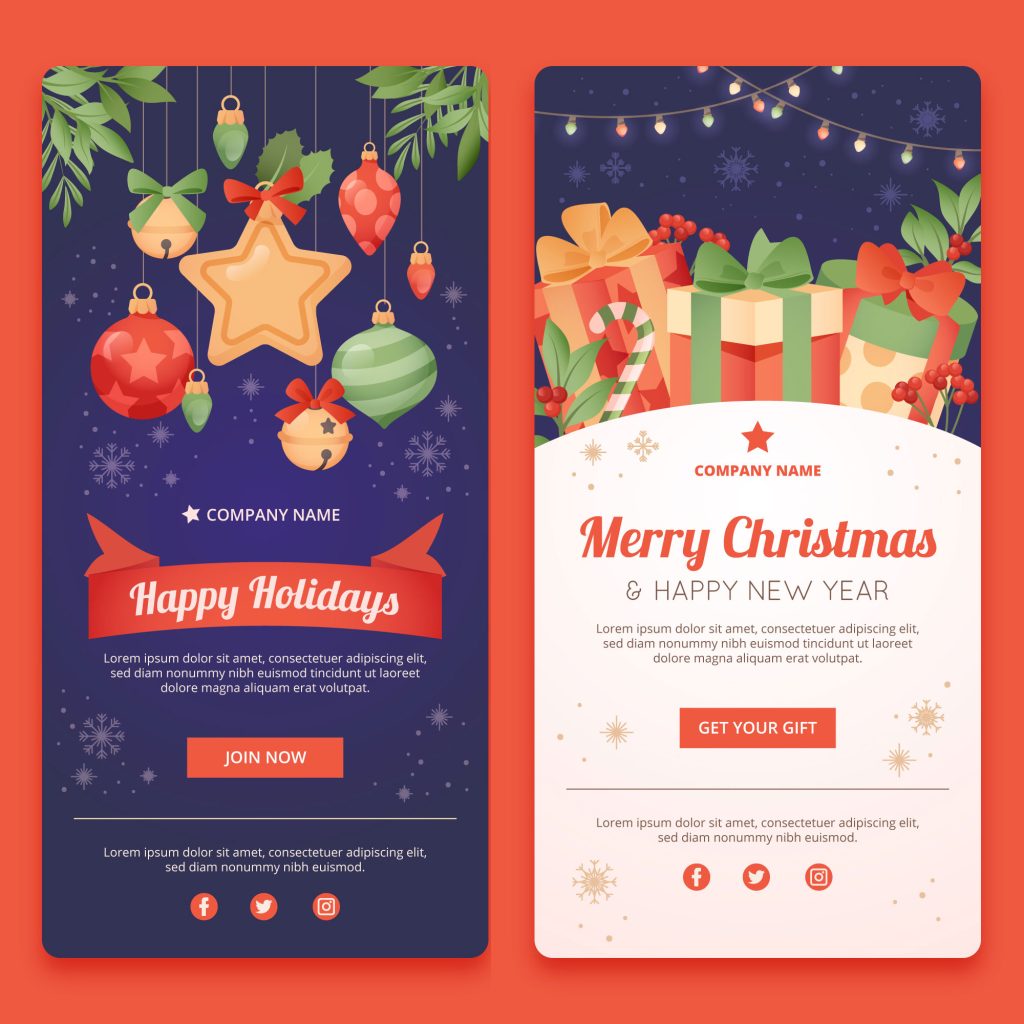
The holiday season is the most competitive time of year for email marketing. Inboxes are flooded with offers, flash sales, and festive greetings, and it only takes seconds for your message to be opened, ignored, or deleted. An effective holiday email does more than look appealing. It builds brand recognition, creates an emotional connection, and reinforces the excitement of the season. The right combination of visuals, colors, and layout guides readers toward your call-to-action while keeping your message clear and engaging.
However, creating that balance can be time-consuming and require technical skill. FireDrum’s pre-made email templates solve that problem by combining expert design with simple customization. Each template is carefully crafted to highlight your offer, optimize readability, and look great on every device, allowing you to focus on results rather than design.
The Power of FireDrum’s Pre-Made Email Templates
FireDrum’s pre-made email templates are designed to eliminate the guesswork from email creation. Built by marketing and design professionals, each template combines proven visual strategy with built-in responsiveness, so your emails look perfect on desktop, tablet, and mobile.
The FireDrum library offers a diverse range of seasonal designs for Black Friday, Cyber Monday, Christmas, and New Year’s promotions, as well as general holiday greetings and gift guides. These templates are tested for readability, optimized for high engagement, and structured to drive clicks and conversions.
Every layout is fully customizable, allowing you to update colors, fonts, and images to match your brand. You can add your logo, insert personalized offers, and adjust content blocks using FireDrum’s simple drag-and-drop editor.
Step-by-Step: How to Create a Holiday Email in Minutes
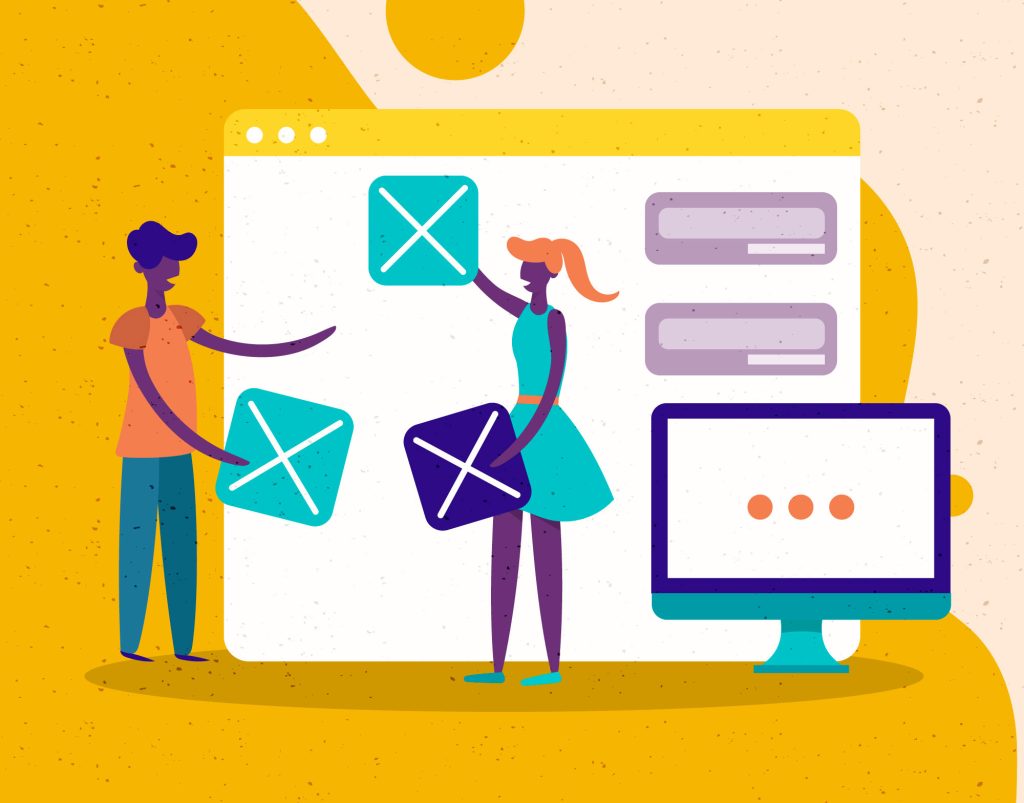
FireDrum was built to make email marketing fast, intuitive, and professional. In just a few steps, you can create a beautiful, high-converting holiday email that looks custom-built for your brand.
Step 1: Choose the Perfect Holiday Template
Start by logging in to your FireDrum account and exploring the holiday template library. You’ll find designs for Black Friday, Cyber Monday, Christmas, New Year, and more. Each pre-made email template is formatted with festive visuals and innovative layouts designed to showcase your message.
Step 2: Customize with the Drag-and-Drop Editor
Once you’ve selected your template, FireDrum’s drag-and-drop editor makes personalization easy. You can upload your logo, edit text, replace images, and change colors to match your brand style. Use text blocks to write your message, add CTA buttons like “Shop Now” or “Claim Offer,” and preview everything in real time. The editor automatically adjusts the layout for mobile devices, so your design looks great everywhere.
Step 3: Add Personalization Tags
Personalized emails consistently outperform generic ones. FireDrum allows you to include personalization tags, such as the subscriber’s name, city, or past purchase history. This makes your emails feel more relevant and engaging.
Example: “Hi Sarah, your holiday gift picks are waiting!” is far more effective than a standard greeting.
Step 4: Connect Automation and Scheduling
When your design is ready, decide when and how it will be sent. You can launch it immediately, schedule it for a specific date, or build it into an automated holiday drip campaign.
FireDrum’s automation tools handle everything for you, from sending follow-ups to delivering last-chance reminders. You can also enable OpenBoost to automatically resend your email to subscribers who didn’t open it the first time.
Step 5: Preview and Send Confidently
Before sending, use the preview tool to test your email across devices. Check that your links, images, and personalization tags display correctly. Once everything looks perfect, hit send or schedule your campaign. Your professionally designed holiday email is ready to delight your audience and drive sales.
Customization Made Simple
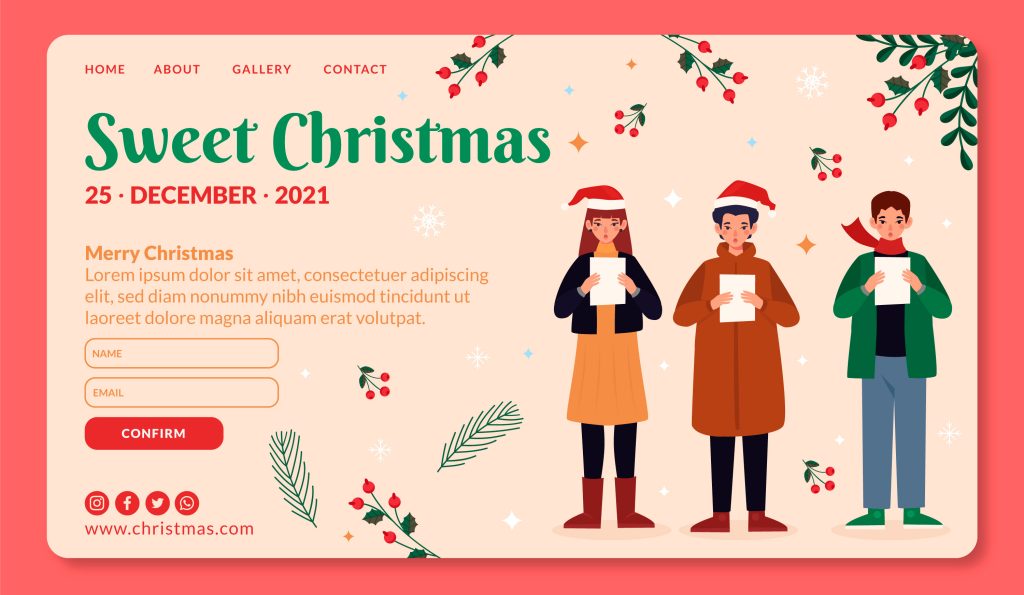
One of the best things about FireDrum’s pre-made email templates is that they provide flexibility without the frustration of starting from scratch. Every design offers a professional foundation that you can easily adapt to fit your brand and campaign objectives.
Edit Every Detail Without Coding
FireDrum’s drag-and-drop editor lets you change any visual element in seconds. Update images, adjust colors, swap fonts, and edit text directly within the template. You don’t need technical experience or design skills to create an email that looks clean, cohesive, and on-brand.
Maintain a Consistent Brand Look
Consistency builds recognition and trust. Once you set your brand colors, logo, and preferred fonts, you can duplicate that look across every holiday campaign. This ensures that no matter which template you use, your emails always feel professional and unmistakably yours.
Collaborate and Reuse with Ease
If you manage a team, FireDrum makes collaboration simple. Create and save branded templates that your team can use as a starting point for future campaigns. Duplicating templates for promotions, events, or follow-ups saves time while maintaining a consistent style.
FireDrum’s customization features strike the perfect balance between creativity and control. You can make each email unique while maintaining your brand identity’s strength and recognition throughout the entire holiday season.
Using Pre-made Email Templates with Automation and Segmentation
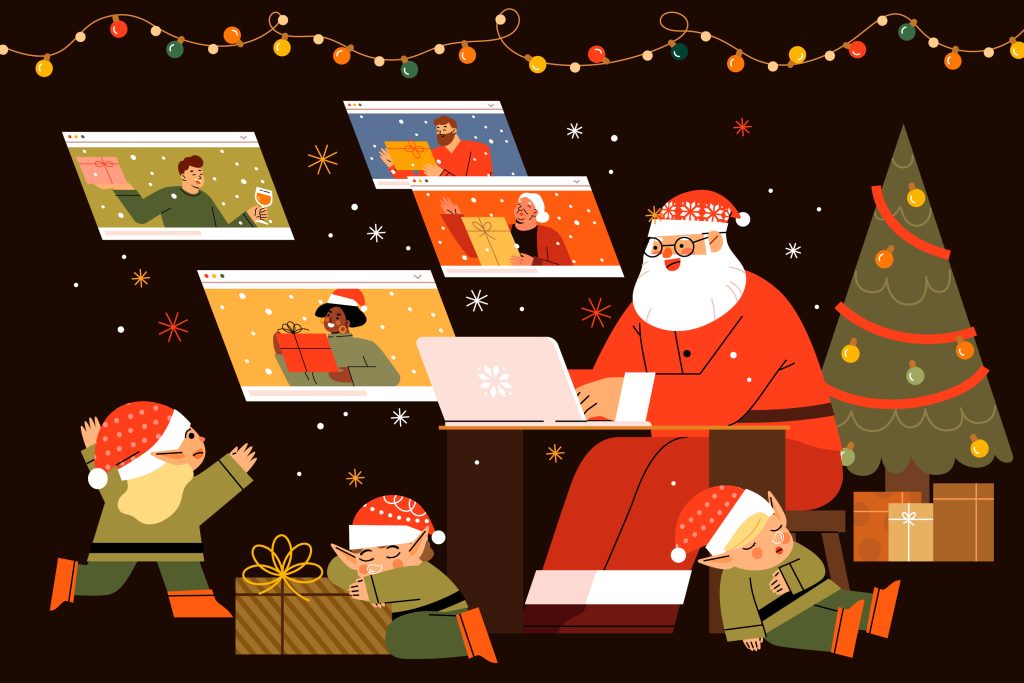
Designing a great email is only part of a successful holiday campaign. To achieve the best results, timing and audience targeting are just as important as design. FireDrum makes this simple by combining automation and segmentation with its pre-made templates.
Build Automated Holiday Campaigns
FireDrum’s automation tools allow you to plan your entire holiday sequence in advance. You can create a series of emails that automatically send based on customer behavior or specific dates.
Examples include:
- A holiday drip series that starts with a gift guide, followed by a sale announcement, then a last-chance reminder.
- A welcome sequence for new subscribers that introduces your brand before presenting special holiday offers.
Once set up, FireDrum handles delivery automatically, freeing you to focus on strategy and results rather than scheduling every send manually.
Segment for Precision and Relevance
Not every subscriber wants the same message. FireDrum’s segmentation lets you divide your audience by purchase history, engagement level, or demographic data. You can send different versions of your email to new customers, loyal buyers, or inactive subscribers. This level of targeting increases engagement and reduces unsubscribes because every recipient gets content that feels personal and relevant.
Combine Automation and Design for Maximum Impact
Pre-made email templates work seamlessly inside automated workflows. Once you design a template, you can plug it into multiple campaigns or sequences, ensuring visual consistency while saving hours of design time. Combined with segmentation, these templates make every message timely, personal, and impactful.
Boosting Engagement with FireDrum’s OpenBoost Feature
Even the best-designed holiday emails can go unopened the first time they’re sent. Busy inboxes, time zones, and subscriber behavior all play a part. FireDrum’s OpenBoost feature solves that problem automatically.
What OpenBoost Does
OpenBoost resends your email campaign to subscribers who didn’t open it the first time, giving your message a second chance to be seen. You don’t have to duplicate campaigns or adjust settings manually. FireDrum handles the follow-up send for you while tracking engagement and performance.
Why It Works During the Holidays
During the holiday rush, timing is everything. Shoppers often miss emails when promotions hit their inbox at the same time. OpenBoost ensures that your message resurfaces at a better time, dramatically improving visibility and engagement.
Many FireDrum users see their open rates increase by 20 to 40 percent when OpenBoost is enabled. This means your sale announcements, gift guides, or exclusive offers reach more customers without additional effort.
Set It and Forget It
You can activate OpenBoost with a single click inside your campaign settings. Once it’s on, FireDrum automatically tracks who opened and who didn’t, resending the email to only those subscribers who missed it the first time. It’s an effortless way to make every campaign perform better without extra planning.
FireDrum’s OpenBoost feature ensures your beautifully designed holiday emails receive the attention they deserve, helping you reach more people, increase conversions, and maximize the impact of every send.
8 Tips for Designing High-Converting Holiday Emails
Design plays a major role in how subscribers engage with your message. Even a minor improvement in layout or copy can lead to increased clicks and conversions. FireDrum’s pre-made templates are already optimized for results, but a few strategic choices can help you get even more from every campaign.
1. Keep the Message Clear and Focused
Holiday inboxes are crowded, so clarity wins. Use concise headlines, short paragraphs, and one main call-to-action per email. Make sure readers instantly understand your offer or message.
2. Use Strong Visuals and Seasonal Colors
Images should capture attention without distracting from your message. Choose visuals that reflect your brand’s tone and the spirit of the season. FireDrum’s templates include festive, balanced color schemes that make your emails feel timely and professional.
3. Create a Sense of Urgency
Limited-time offers and shipping deadlines encourage quick action. Include clear CTAs like “Shop Now,” “Claim Offer,” or “Ends Tonight.” FireDrum’s drag-and-drop button blocks make adding and styling CTAs effortless.
4. Personalize Whenever Possible
A personalized subject line or greeting can significantly increase engagement. Use FireDrum’s personalization tags to include a subscriber’s name or relevant details. For example, “Sarah, your holiday gift guide is ready!” feels personal and direct.
5. Test and Review Before Sending
Always preview your design across devices and email clients. FireDrum’s preview tool ensures your layout, links, and images display correctly. Double-check for spelling, alignment, and button functionality before scheduling your send.
When you pair these design best practices with FireDrum’s smart automation, segmentation, and OpenBoost features, you get a campaign that not only looks great but also delivers measurable results.
Why FireDrum Is the Smartest Choice for Holiday Email Marketing
When it comes to running successful holiday campaigns, speed, quality, and performance matter most, FireDrum combines all three into one powerful, easy-to-use platform designed for marketers who want results without complexity.
With pre-made templates, you can create professional emails in minutes. With automation and smart segmentation, you can send them to the right people at the right time. With OpenBoost, you can ensure that your campaigns reach more inboxes and drive more engagement with minimal effort.
FireDrum simplifies every part of email marketing, from design to delivery. Whether you are a small business owner sending seasonal promotions or a marketing team managing multiple brands, FireDrum’s tools scale to your needs.
You do not need a designer, coder, or large budget to compete during the busiest time of the year. You just need a platform built to make email marketing simple, fast, and effective, and FireDrum delivers exactly that. Log in today to explore FireDrum’s holiday templates and start building campaigns that capture attention, boost conversions, and keep your brand top of mind all season long.